Strategic Guide To Data Center Colocation
Colocation (colo) lets your organization use a part of a high-availability, energy-efficient data center facility owned and managed by a colocation services provider. But no two colocation providers are alike. In this guide you’ll learn about colocation, data center tiers, how colocation works and how it benefits your organization.
The global colocation market is predicted to grow to over $62 Billion by 2022. This is up from $31.5 Billion in 2017.
how can we help you?
PropelMWS enables organizations of all sizes to safely benefit from hybrid data center and cloud agility utilizing our fully managed colocation and hybrid-cloud services that cut cost’s, scale quickly and enable your company to grow without worrying about infrastructure.
Modernizing your hybrid IT not only improves the performance of your applications and services, but unlocks innovation, efficiency, and cost savings.

Terms to Know
Colocation
Use your IT equipment at a multitenant data center owned and managed by someone else. Colocation is sometimes referred to as “colo” for short.
Dedicated Server Hosting
Lease an entire server hosted by a provider and have it configured to your requirements.
Virtual Data Center
Spin up a cloud environment with virtualized networking, storage and security.
What is Data Center Colocation?
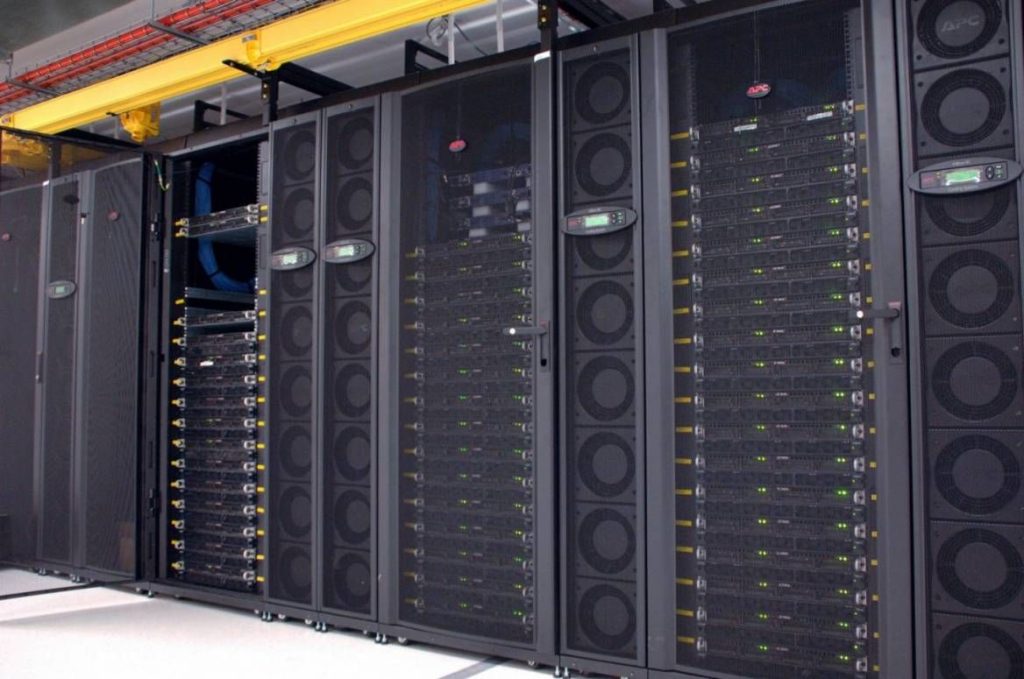
Colocation (or colo) is the sharing of third-party space in a multitenant data center (MTDC). Your business will operate its own IT equipment in a facility managed by a colocation services provider.
Colocation services providers are experts at building and managing data centers. By sharing the facility with other customers, you get expertly managed data center facilities, infrastructure and security with some potential cost savings.
Colocation users usually maintain their own equipment, but you may not have to. Some colo data centers offer the added value of managed services. A managed services provider will monitor and maintain your colocated equipment for you, and may supply other expertise such as data center planning, networking, IT security, disaster recovery, and cloud computing.
Fast Facts About Colocation
12.9%
Expected annual growth rate of the global colo market
80% of enterprises
will have shut down their traditional data center by 2025
$62B
Expected size of the global colo market by the end of 2022
50%
According to 451 Research, over 50% of globally utilized racks will be located off-premises by 2024
Data Center Tiering and Uptime
Data centers must have the systems and equipment in place to maintain uptime in the event of a system failure, and some data center facilities are better prepared than others.
A data center with a primary system (N) and one backup power system (1) can avoid downtime during planned power system maintenance and unexpected outages.
Two complete power system paths that are always active (2N) dramatically improve uptime. A-side and B-side power distribution systems provide similar redundancy for the entire facility.
When talking about data center redundancy, we’re talking about major system paths, such as power or cooling.
Data Center Topology: Terms to Know
N+1
Common system control point with one additional device in the event of a device failure
2N
Two complete system paths are always active to minimize downtime
2N+1
Two complete system paths are always active and more backup equipment is available
With redundancy in mind, the Uptime Institute provides a trusted third-party verification of data center excellence as it impacts uptime: data center tiers.
Downtime by Tier
Uptime Institute’s data center certification is based on the lowest level of redundancy of any key system – that is, their weakest link.
The value of redundancy is clear:
Tier 3 and Tier 4 data centers have very little downtime.
Tier 1 and Tier 2 data centers can have much more downtime.
Whatever your business objectives, colocation is a powerful tool to help you accomplish your goals.
There are many reasons why businesses choose colocation. Here are four of them:
Reason 01: You have legacy workloads that are not ready for the cloud
You may have applications and workloads that aren’t compatible with cloud, however colocation or hybrid environments may be a better fit for your needs. Migrating legacy workloads into a colocation facility is a big step in the right direction toward achieving greater resilience, availability and security for legacy applications and their sensitive data.
Reason 02: You have a strategy for business continuity and disaster recovery
You need to prevent disruption to your IT infrastructure from storms, fires, floods and cyber-attacks. Top-tier data centers are built for IT resilience, making them safer than most corporate data centers. Plus, geographically dispersed colocation can further minimize unplanned downtime, too.
Reason 03: You need connectivity to the cloud or for hybrid IT
Your organization may have a hybrid mix of public, private, on premise, off-premise, cloud and non-cloud environments. Colocation supports hybrid cloud deployment with onramps to highly scalable cloud resources such as cloud bursting, SaaS, PaaS and IaaS cloud services infrastructure.
What’s more, from a colocation facility you can bypass the internet with direct-to-cloud connectivity services and connections to other data centers and digital business partners — all supported by colocation connectivity experts who manage the complexity for you.
Reason 04: You need to scale and minimize CapEx
Building a data center can cost millions, and then you still have to maintain it. Colocation offers rapid deployment for businesses expansion to new markets, consolidation of data centers, replacement of aging data centers, and direct connectivity to cloud providers. And it does all that while turning your capital expenditures (CapEx) into operating expenditures (OpEx) that more closely align with actual consumption.
How Does Colocation Work
Elements of a modern data center infrastructure
Today’s colocation data centers can offer much more than commodity ping, power, pipe. Early colo centers offered only a small set of services:
- Ping: rack or floor space (customers “ping” servers remotely)
- Power: electrical power and cooling
- Pipe: connectivity to the internet
Here are the standards for data centers today:
Building Architecture & Safety
The overall structure of the data center should be built for tomorrow, not only today – and designed with data resiliency and scalability in mind. Buildings can be designed to withstand hurricanes, earthquakes (built down to bedrock) and EF4 tornadoes.
Keeping your equipment safe is a top priority for a colo service provider. Best practices include fire detection systems with dual interlock, pre-action fire suppression, floor-to-deck fire barriers, suite compartmentalization and maintenance corridors, and monitoring of critical infrastructure.
Building Management Software & NOC
Data center operators should leverage building management systems to give them a bird’s-eye view into the health of the facility: HVAC, power loads, voltage levels, backup power systems including UPS and generators, and more. These programs give operators real-time alerts in the event of a system failure.
Colo providers staff their onsite Network Operations Centers (NOCs) with experienced technicians, available 24×7, to monitor the facility and IT infrastructure and resolve any incidents and customer concerns quickly and efficiently.
Space
You’ll find secure options such as cabinets, cages, and private suites that can be customized to meet your exact requirements.
The spaces have high-density power and high-density cooling, so you can operate a lot of IT equipment in a small space.
A raised floor allows for vast amounts of cables, and other utilities to be run underneath.
Space: Terms to Know
Cabinets
An equipment storage structure with adjustable vented shelves and perforated locking doors
Cages
A secure area with wire-mesh walls that supports a wide range of free-standing IT equipment
Private suites
A dedicated fully-enclosed server space with solid partitions and a locking door
Power
Main power: High-density power is provided to each cabinet, cage or suite at a specified power-to-space ratio. This power is fed from autonomous power plants (sometimes multiple sources), which provide utility power to the facility.
To maintain uptime, equipment should include multiple redundant power distribution units (PDUs), uninterruptible power supplies (UPSs) and backup generators.
Uninterruptible Power Supplies (UPS): A device that provides immediate emergency power when a main power source spikes or drops, preventing interruptions to the data center IT systems. They are a first line of defense against lack of availability, damaged equipment and data loss. For high availability needs, look for redundant UPS systems with a minimum of 2N the amount of power needed.
Backup Generators: Backup generators should provide enough power for a set amount of continuous run-time at full load, with extra fuel stored on site.
Power: Terms to Know
CabinetsDiverse A/B power
Two redundant sources of power (2N) from the utility power to rack outlets
PDU
Equipment that manages the distribution of power from the main power source to your equipment racks
Whips
PDU cables that run under the raised data center floor to deliver power to your equipment
Cooling
IT equipment generates a lot of heat, so redundant cooling systems such computer room air conditioner (CRAC) and computer room air handler (CRAH) units will need to compensate for high heat loads and humidity. Generator backup helps to ensure cooling at all times.
Many data center operators use high-efficiency green cooling technologies.
Cooling: Terms to Know
Chilled-Water Cooling
Chilled-water loops operate at elevated temperatures with water-side economizers
Water-Free Cooling
A cooling system with pumped refrigerant economizers and high efficiency condensers
Air-Side Economizers
Uses cooler outdoor air to help cool the data center in regions with cool, dry air
Network
Some colocation providers offer 10G and faster fiber-based connections for higher bandwidth. Multiple diverse fiber optic feeds enter the facility and dark fiber may be available for your use. Other connectivity types include copper and software-defined network for additional flexibility. This shifts the responsibility of managing networking equipment from the customer to the provider.
Carrier-neutral colocation centers will have meet-me rooms (MMR) or exchanges to provide you with high-bandwidth, low-latency connectivity from a variety of carriers. In contrast, some colo centers are owned by a single telecommunication carrier.
Many options such as connectivity-to-cloud solutions and network peering platforms can let you bypass the internet to connect to public clouds, private clouds, enterprise-connected routers, and colocated equipment and storage at other data centers.
Networking: Terms to Know
Tier 1 Network
Chilled-water loops operate at elevated temperatures with water-side economizers
Blended Internet
The use of multiple Tier 1 ISPs to prevent an outage at one ISP from stopping your traffic
Dark Fiber
Extra fiber optic cable strands available for your use in the data center
Security
Top colo providers use extensive physical security technologies, policies and incident response procedures to prevent unauthorized access, theft or damage to your equipment and private data.
Security: Terms to Know
Mantrap
An entry room where both doors are locked until the visitor’s credentials are validated
Biometric Scanner
Authentication based on the visitor’s retina, fingerprint, face or voice
CCTV
Video monitoring and recording to validate audit trails of visitor access
Compliance
Service organization controls are key certifications for any data center facility to help you demonstrate compliance. A colocation provider with compliance and security expertise can help you meet regulatory standards for your industry.
What are SOC 1, SOC 2 and SOC 3?
The American Institute of Certified Public Accountants (AICPA) has established an auditing standard to help organizations identify strong service providers. The Statement on Standards for Attestation Engagements (SSAE) Service Organization Controls (SOC) Type II reports provide valuable third-party verification of controls – including security and privacy controls – within a service organization, such as a colocation data center provider.
Compliance
Service organization controls are key certifications for any data center facility to help you demonstrate compliance. A colocation provider with compliance and security expertise can help you meet regulatory standards for your industry.
What are SOC 1, SOC 2 and SOC 3?
The American Institute of Certified Public Accountants (AICPA) has established an auditing standard to help organizations identify strong service providers. The Statement on Standards for Attestation Engagements (SSAE) Service Organization Controls (SOC) Type II reports provide valuable third-party verification of controls – including security and privacy controls – within a service organization, such as a colocation data center provider.
Compliance: Terms to Know
Compliance
Service organization controls are key certifications for any data center facility to help you demonstrate compliance. A colocation provider with compliance and security expertise can help you meet regulatory standards for your industry.
What are SOC 1, SOC 2 and SOC 3?
The American Institute of Certified Public Accountants (AICPA) has established an auditing standard to help organizations identify strong service providers. The Statement on Standards for Attestation Engagements (SSAE) Service Organization Controls (SOC) Type II reports provide valuable third-party verification of controls – including security and privacy controls – within a service organization, such as a colocation data center provider.
SOC 1
A report for auditors about the internal controls over financial reporting, based on SSAE 18
SOC 2
A report on the controls for security, availability, processing integrity, confidentiality or privacy
SOC 3
A higher-level report on controls for security, availability, processing integrity, confidentiality or privacy
What are the advantages of colocation?
Colo can save you money versus the cost of building a new data center
Colo offers many advantages to enterprises including:
Ensure resiliency and uptime
100% uptime service level agreement (SLA) is made possible by:
- Fewer outage incidents caused by human error
- Redundant systems and highly available components
- Maintenance performed without service interruption
- Regular testing of all facility systems
Prepare for disaster recovery
Data center colocation can improve your disaster preparedness in these ways:
- A provider facility can better protect IT systems than most corporate data centers.
- The colo service provider may have Disaster Recovery as a Service (DRaaS) expertise.
- You may be able to reserve workspace for your employees for use when disaster strikes.
- You can consider alternative data center locations for your IT infrastructure/ For example, hosting your equipment in a less risky geography.
IT outages are far more common than natural disasters. Keeping your IT equipment at a top colocation data center can help you avoid many kinds of outages with redundant systems.z
Expand your business
As you add products and services or expand to new markets, you can scale into pre-built enterprise-class space quickly.
Consolidate data centers
After a merger or acquisition, your organization may need to consolidate legacy data centers to unify your IT infrastructure. Data center colocation offers centralized locations for easier access and management.
Save energy and facility costs
Few organizations have the resources to construct a fully redundant data center and staff it with specialized professionals 24×7, so data center colocation offers good value.
Energy costs can be reduced when using a colo facility in a region that has a cooler climate or cheaper electric rates, or in an energy-efficient facility in any region.
Get faster network connections
Ensure tighter application and data security
You can quickly address weak security by colocating with a trusted data center provider that implements data center security best practices. This could extend to improved cybersecurity if you choose a colocation provider that offers managed services.
Leveraging a facility that engages in audits to document its controls, processes, and security features can help your business comply with security and privacy standards and regulations.
How colocation fits into your IT infrastructure mix and managed services
“Customers can enter into a basic colocation contract and either layer on managed services when needed, or migrate to other offerings such as managed hosting services at a later date.”